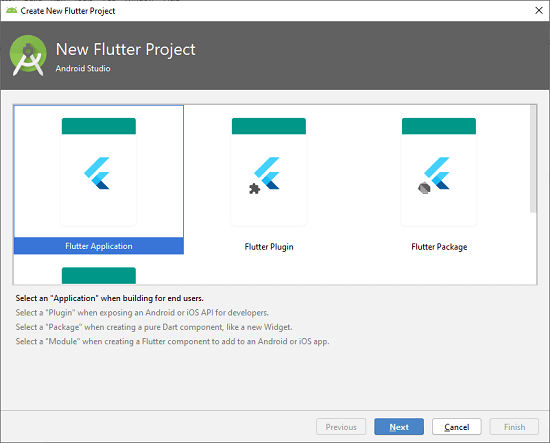
In the next wizard, you need to choose the Flutter Application. For this, select Flutter Application-> click Next, as shown in the below screen.
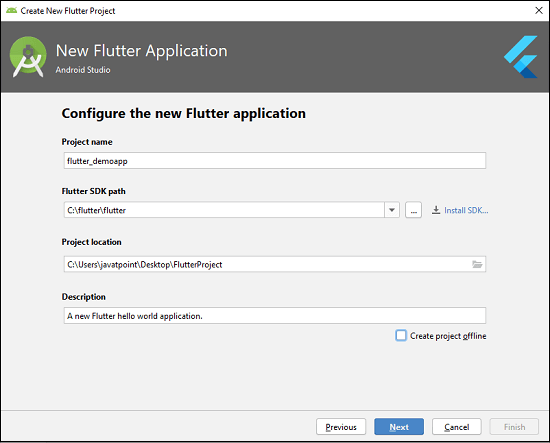
Step 4: Next, configure the application details as shown in the below screen and click on the Next button.
Project Name: Write your Application Name.
Flutter SDK Path: <path_to_flutter_sdk>
Project Location: <path_to_project_folder>
Descriptions: <A new Flutter hello world application>.
Leave a Reply